Thousands of courses for $10 728x90

السبت، 9 نوفمبر 2019

6 Alternative Housing Options That Can Help You Save Money

The rent is too darn high, and it’s hard to catch a break. The same can be said about paying the mortgage each month.

With housing costs eating up about a third of many household budgets, it’s typically the highest single expense Americans face each month. Still, you’ve got to have a roof over your head.

Here are six alternative housing options with the potential to significantly cut costs while keeping you comfortably sheltered.

1. Coliving

Imagine living with a bunch of strangers for the sake of saving money on housing.

Coliving is an alternative housing concept where multiple, unrelated individuals live under the same roof sharing common space like living rooms and kitchens while enjoying private bedrooms … and private bathrooms, if they’re lucky.

While the living arrangement is not new, it has gained popularity in recent years among cash-strapped millennials in urban areas. But coliving can also be found outside major metropolitan cores.

Jillian Warwick moved into a St. Petersburg, Florida, coliving space this summer. She pays $600 in a city where rent on a studio apartment can exceed $1,200. Her monthly payment includes utilities and high-speed internet, and the home includes free laundry access and is stocked with complimentary coffee and household supplies.

2. Tiny House

According to the National Association of Home Builders, a median new single-family home was 2,355 square feet in the beginning of 2019. Tiny homes, in comparison, are typically less than a quarter of that size.

Though the living space is smaller, the potential to save is larger. In addition to spending less on the home itself, tiny house dwellers often pay less in utilities, and they buy less things because of the limited space.

Andrew and Gabriella Morrison and their two kids cut roughly $300 in monthly expenses (or about $3,600 a year) from their budget by switching to tiny house living. Joel Weber built his own tiny home while in college. After spending between $13,000 and $16,000 for the build, his combined cost to park his home and pay for utilities came to about $300 a month — almost a third of the cost of living in a dorm.

3. RV

Experience a nomadic lifestyle by living in an RV. These tiny houses on wheels are a fraction of the size of a typical home but also a fraction of the cost.

Cortni Armstrong ended up moving to an RV five years ago. Her living situation was the catalyst to a new career: renovating and flipping RVs. Armstrong has sold remodeled RVs in the $30,000 range — which can sometimes be a mere down payment for a traditional home.

Like with tiny house living, don’t forget to factor in the rent at a campground or RV park if you don’t own land to park on.

4. Skoolie

Similar to an RV but in a more unique package, a skoolie is a decommissioned school bus that has been converted into a home on wheels. It can also be less expensive than an RV.

Phil Risher bought a bus for $5,000 and spent $2,000 transforming it into his living quarters for a 95-day trip around the country. He and his father took on the renovation themselves using a free layout from Pinterest and tips from YouTube videos.

5. Off Grid

Ever want to distant yourself from the constructs of modern society? Off-grid living is an alternative housing option that requires you to be self-sustaining. You rely on independent power and water sources rather than municipal services. You grow or hunt your food rather than shopping at a grocery store.

Tyler and Ashley Selden and their daughter Sydney maintain an off-grid lifestyle in Alaska. Though it’s a lifestyle choice rather than a financial one, they estimate they save up to $10,000 a year just by growing, fishing or hunting their own food.

6. House Hacking

House hacking, in a nutshell, is buying property and recruiting others to help you pay the mortgage.

Riley Adams and his girlfriend (now wife) lived in a three-unit residential property in New Orleans cost-free for three years. Their house-hacking arrangement involved renting one unit out and having Airbnb guests in the other, which covered the mortgage.

House hacking is also possible without living in a multiunit property. Kristine Dowhan became an Airbnb host, listing three bedrooms of her four-bedroom home to afford her mortgage. She even made a $1,200 profit her first year renting out rooms.

Even if you don’t have extra bedrooms in your home, you can get creative with the space you do have. John Potter rented out a tent in his backyard on Airbnb. Talk about thinking outside the box!

Nicole Dow is a senior writer at The Penny Hoarder.

This was originally published on The Penny Hoarder, which helps millions of readers worldwide earn and save money by sharing unique job opportunities, personal stories, freebies and more. The Inc. 5000 ranked The Penny Hoarder as the fastest-growing private media company in the U.S. in 2017.


source The Penny Hoarder https://ift.tt/32tqAG8

Cost-Effective Strategies for Handling and Preventing the Winter Blues / Seasonal Affective Disorder

I want to start off by telling you a story, one that I’ve brought up in bits and pieces in the past on The Simple Dollar, but on the event of this most recent switch from Daylight Savings Time to regular time, I woke up one morning this week feeling the first real whispers of the winter blues, and I felt like it was time to discuss it in full. So, let’s start there.

My Winter Blues

Ever since I was a kid, I would go through periods of mild melancholy in the winter months. I didn’t want to go outside if at all possible and barely wanted to get out of bed on winter weekends, preferring to camp out with books. My parents – particularly my father – responded to this by making me go outside, practically doing everything short of dragging me outside. At the time, it just felt like a hoop I was jumping through.

When I went to college, this feeling went away for a while. The winter blues really didn’t bother me at all in college and, looking back, it was because I was forced to spend quite a bit of time outside walking around, often with a heavy backpack. I usually lived miles from my classes and would walk there, toting books and notebooks in my backpack, and I honestly got into the best shape of my life during my college years because of that and other exercise efforts.

After college, I got a full time job in a research lab and I began to notice it again. I remember this a lot more clearly. I mostly just felt somewhat exhausted all throughout the winter months, from about mid-November to maybe mid-March or so. During the spring, summer, and fall, I would always feel energetic, loading my days with all kinds of things, but when November rolled around, it would feel like I fell half asleep all the time.

For several years in a row, I had to travel to San Diego in January for work, and it was a godsend. I didn’t really put two and two together at the time, but I would leave for those trips feeling like garbage and come back feeling like a million bucks. The reason was simple – I would spend a ton of time outside there. I found over and over again that I would feel like trash at the start of that week, but by mid-week, I felt great again, and that great feeling would carry on for a few weeks after getting back.

Again, I didn’t really pick up on the pattern at the time. I see it clearly now as I look back on old journal entries and so on, but at the time I just felt down and mostly just pressed through it.

That all changed when I decided to switch to writing The Simple Dollar full time. This was mostly motivated by a desire to be more involved with and available for my children and wife, along with some secondary work frustrations. At first, the change was amazing, but it led to the single worst winter of my life.

During that first winter in which I was working from home, I genuinely thought I was dying. Everything was a giant fog. I had zero energy – zilch. It took almost everything I had to get out of bed most mornings and do the absolute minimum I needed to keep The Simple Dollar going with any kind of posting schedule. Some days, I literally don’t know how I did it.

On Christmas Day, I fell asleep on the floor of our laundry room. For four days in a row in January, I slept from 7:30 PM to about 7 AM, got my kids to preschool, blurted out the absolute most minimum writing I could for The Simple Dollar, and promptly fell asleep on the couch from about 10 AM to about 5 PM, only to repeat it again. Yep, 19 hours of sleep a day. That’s not good.

I finally went to the doctor and he ran a bunch of tests on me, informing me that the only real things wrong with me that he could tell were low vitamin B and vitamin D levels. He encouraged me to take supplements and to go outside as much as I possibly could. He wasn’t 100% sure what was wrong, but seasonal affective disorder was among his suspicions (his main suspicion was mononucleosis, but I never got it confirmed). He did suggest referring me to a psychologist, a referral that I didn’t follow up on.

I went home and researched the things he suggested and realized that my symptoms were all severe versions of seasonal affective disorder – the winter blues. It all matched perfectly:

* Oversleeping
* Appetite changes, especially a craving for foods high in carbohydrates
* Weight gain
* Tiredness or low energy
* Feeling depressed most of the day, nearly every day
* Losing interest in activities you once enjoyed
* Having low energy
* Feeling sluggish or agitated
* Having difficulty concentrating
* Feeling hopeless, worthless or guilty

That almost perfectly described how I had been feeling for months, and I wanted it to stop. So, at that time, I threw everything I could at fixing it, throwing cost to the wind. We were in good financial shape then, so it wasn’t too bad. Here are some of the stuff I tried:

* I installed a ton of full spectrum lighting in every part of the house where I spent any time.
* I set up a full spectrum light off to the right of my computer screen.
* I took the best vitamin B and vitamin D supplements I could find.
* I tried meditation for the first time (it didn’t really click then, but it did click later on in life for different reasons).
* I joined a gym and hired a physical trainer so I would have an appointment to get out of the house and move around.
* I scheduled lunches with a bunch of people so that I would, again, have to get out of the house and move around and socialize.

Some of that stuff, as you might note, is kind of expensive. We’ll get back to that in a bit.

What I noticed was that those things, in a big pile, really seemed to help, and spring arrived pretty quickly thereafter, which always helps.

The following winter, I repeated all of the tactics and while I still felt it mildly, it wasn’t the misery of the previous winter. It felt more like the winters when I was working outside the home – rough but tolerable.

Over the years since, I’ve tried to hone what works and what doesn’t, trying to keep the costs as low as possible while still minimizing the effects of the winter blues on my life. I now know that it almost perfectly coincides with the end of Daylight Savings Time in November and it usually starts winding down when Daylight Savings Time returns in mid-March. That abrupt clock shift usually means that my time outside in the evening in which sunlight is still in effect is instantly significantly reduced, and I can feel the change.

So, after a decade of tinkering around with this and still wanting to be an active and energetic person in the winter without spending tons of money on lights and trainers and other things, here are ten tactics I actually use each and every winter to keep seasonal affective disorder in check.

If you get the winter blues, even if they haven’t kicked in yet, I recommend starting on these things now rather than later. It’s better to start with these things before the winter blues start hitting you.

Get a “Wellness Visit” with Your Doctor

This is simply a check to make sure you’re in good all-around health before winter sets in. Mention to your doctor that you’re prone to the winter blues. Your doctor will probably do some general blood work and make sure that your various vitamin, mineral, and hormone levels are in the normal range.

Many health insurance policies cover a free regular (usually annual) wellness checkup with your doctor, as it’s far cheaper for the policy to cover that and have medical issues discovered when they’re minor than to wait around until they’re a crisis, so the expense of this should be tiny under most medical insurance policies.

Put Some Full Spectrum Light Bulbs in Your Home

Full spectrum lighting is a very effective push in the right direction for me. If the lights in most of the areas I spend time in my house emit full spectrum light, it really helps me to keep the blues at bay all winter long.

I wouldn’t change nearly all the bulbs in your house to full spectrum bulbs, just the ones that you use most often. Figure out three to five lights in your home that you’re frequently around and switch those bulbs out for full spectrum bulbs. If you need to switch a few more for lighting consistency, that’s fine.

Outside of wintertime, you can switch back to your old normal bulbs in those sockets and save the full spectrum bulbs for winter. Because full spectrum bulbs are a little more expensive than regular bulbs, maximizing the lifespan of both types can really minimize the cost of using full spectrum bulbs during the winter.

Set Up a Lamp Near Your Workspace, Put a Bright Full Spectrum Bulb In It, and Leave It On All the Time When You’re Working

If you work in an office environment, set up a lamp near your computer monitor and put a full spectrum bulb in that lamp. Set it just off to the side so that you’re not staring right at it, but that it’s quite noticeable out of the corner of your eye.

Again, for me, this is a nice brain trick that tells my brain that there’s still tons of sunlight around. It activates whatever some of the photoreceptors in my eye are looking for to keep appropriate chemical signals going around in my body. In other words, it makes a pretty big impact when it comes to keeping my mind unclouded during the winter months.

You can use any ordinary small lamp for this – check out your local secondhand shop. A single full spectrum bulb will work, too.

What about a light box? A light box is often recommended for people with the winter blues. It’s basically a modified fluorescent lamp that you sit on your desk near where you’re looking most of the time, much like the lamp above. The big difference is that there are reflective surfaces inside the box so that the full spectrum light is all directed outwards. I have one – I bought it during my spending spree on stuff to help my seasonal affective disorder when I first figured it out – but, quite honestly, I haven’t pulled it out in a couple of years. The two full spectrum lights near my desk – one off to the side of my monitor and the other directly over the desk – seem to produce most of the same benefits. Though it is helpful, so is simply getting some full spectrum light bulbs, so I wouldn’t invest in this.

Eat Plenty of Fish, Cheese, and Eggs

These are natural sources of vitamin D, which is something that your body often lacks in the winter months if you’re not getting outside very much.

Rather than buying vitamin supplements, you’re going to pick up the vitamins more effectively if you just make sure that these items are already in your diet. Your body picks up vitamins quite well from food, provided you are eating things with that particular vitamin already in it.

Fish, cheese, and eggs are all pretty solid sources for vitamin D, so make room in your diet for all of these. Have a tuna melt every once in a while. Enjoy some scrambled eggs for breakfast. Have salmon for dinner. You don’t have to live off of these things, but make sure that they’re in your diet during the winter months.

Eat Plenty of Beef and Fish and Drink Fortified Milk

Much as the above items are good sources of natural vitamin D, these are good sources of natural vitamin B12, which is another item your body can struggle with under normal winter conditions.

Again, rather than buying vitamin supplements, just eat foods that are riches in B12. Beef, fish, and fortified milk are all good sources for these that you can add to your normal shopping list. Fish is particularly good because it’ll help you double dip on both of these vitamins that you need.

So have a big piece of salmon for dinner or some tuna salad for lunch. Eat a hamburger or a steak once in a while. Put some fortified milk (read the label) on your cereal and have it for breakfast. Again, you don’t have to include these things daily in your diet, but regular consumption is good.

Eat a Ton of Fruits and Vegetables and Whole Grains

Your body is a complex machine, one that evolved over the years to enjoy an omnivorous diet mostly made up of plants – fruits, vegetables, grains, and so on.

One of the most valuable things I’ve figured out in the last several winters is that it makes a huge difference in my overall energy level to eat a really good diet, one that’s mostly vegetables and fruits and whole grains with other things merely complementing that stuff. If your plate is mostly vegetables and actual whole grains with other stuff on it, you’re doing it right. If your plate is mostly well-seasoned basic stuff rather than really processed stuff, you’re doing it right.

Just eat the stuff you like that falls under that umbrella. Figure out which vegetables you like in a variety of colors and eat those a lot. Eat a lot of different fruits for snacks. It will really help your energy level because your body is getting the wide variety of nutrients it craves, something we often miss out on a little with the modern diet, and it seems to really help me the most in the winter.

Just eat good stuff and it will help, I promise.

Keep Every Window in Your House Uncovered During Daylight Hours to Let in Maximum Sunlight

You want to let maximum sunlight into your house during the winter months, and the way to do that is to open every curtain and open all the blinds in every area of your house during the day. You can – and should – close them at night to help with interior heat retention, but during the day, you want natural sunlight brightness flooding in the window.

This is even true on cloudy days, as a lot of the sun’s indirect rays will still bounce into your home.

Just make it a routine. When you get up in the morning, open all the window coverings. When it’s definitely night out, close them all. It’s pretty easy.

Pencil in a Daytime Walk Outdoors of at Least 30 Minutes – and Make It Mandatory

This needs to be on your calendar, even if it seems like the worst thing in the world. At some point during the daytime hours, go on a walk outside for at least 30 minutes. Do this during your lunch break if that’s the only time when there’s daylight – tell your boss that if you don’t get at least a little bit of sun, you’re going to go crazy. If you have some daylight hours before or after work, do it then.

Make it daily and mandatory. You go on a walk, no questions asked.

Doing this ensures that you’re getting some sunshine in your eyes and on at least some of your skin, which is an incredibly powerful remedy for the winter blues. The winter blues really develop when you get minimal natural sunshine in your eyes and on your skin.

Not only that, the act of going on a walk will make a huge difference. The simple exercise will do a lot to naturally lift your mood while the sunlight is helping you with other aspects of internal biochemistry. A daily walk helps in multiple dimensions.

(This doesn’t mean to go on walks with minimal clothing. Bundle up appropriately for the weather. Just make sure your walk is at least 30 minutes long.)

Schedule Lots of Social Events Outside the Home

This is more of a general counter to melancholy or mild depression, something that the winter blues definitely lines up with. Put lots of social events on your calendar outside of your home so that you have to go somewhere to visit people. (Having some social events at home are fine, but have plenty outside the home, too.)

Again, this forces you to go outside and move around, but it also makes you spend social time with people. Humans are social creatures and even the most introverted among us get some value from face-to-face social time which can’t be replicated with texting or social media.

Check out Meetup and go to some events. If you’re a member of a religious organization, start going to the services. Call up some friends and do something inexpensive together, even if it’s just something like a potluck dinner party and game night at someone’s house. Just find a way to see other people in a purely social setting, and do it away from home.

Set a Standard Bedtime and Wakeup Time and Stick to Them

Part of the problem of having the sun only up in the sky for a few hours each day is that it encourages us to just roll over and stay in bed. It’s easier to have your bedtime slide earlier and earlier and to just camp out in bed later and later in the morning. That in itself can lead to the winter blues due to oversleeping.

Don’t let yourself fall into that. Schedule a tight bedtime and wakeup time and do your best to stick to those every day. Let yourself get a healthy seven or eight hours, but don’t let it drag on. Get up when it’s time to get up.

Final Thoughts

It’s this mix of things that makes a real difference for me in terms of being able to survive the winter blues. There have been times when the winter blues have been very rough on me in the past, and because I’ve figured out how to handle it over the years in a cost-effective way, it’s simply become something that I can just roll through.

I usually feel the first hints of it after the November clock shift and that was absolutely true this week, so I’m making sure these things are all a part of my life.

I’ll be fine, and you will be, too.

The post Cost-Effective Strategies for Handling and Preventing the Winter Blues / Seasonal Affective Disorder appeared first on The Simple Dollar.


Source The Simple Dollar https://ift.tt/2K6qTA9

الجمعة، 8 نوفمبر 2019

Toomey presses for a bulwark against a future fracking ban

HARRISBURG, Pa. (AP) — Republican U.S. Sen. Pat Toomey of Pennsylvania said Friday that he is seeking passage of a measure that's squarely aimed at several Democratic presidential candidates and designed to prevent a president from banning hydraulic fracturing.At a news conference in Harrisburg, Toomey said his newly introduced resolution makes it clear that Congress believes that a president doesn't have the authority to ban hydraulic fracturing, called fracking for short. [...]

Source Business - poconorecord.com https://ift.tt/34Kgh20

All I Want for Christmas … Is to Avoid Holiday-Spending Debt

Don’t let the holiday spirit last all year long. 

Sorry, I meant don’t let the holiday debt last all year long.

It’s tough to resist the temptation to spend your way toward making this a fa-la-la-labulous holiday season for everyone you love, but you could be paying for it long after the last jingle bell rocks.

As it turns out, we’re a country full of seasonal spenders.

According to a new poll from CreditCards.com, 61% of respondents who already carry a credit card balance said they’re willing to add to it to stuff stockings and put more packages under the tree. And three in five millennials said they’d be willing to go into the red — and we don’t mean Santa’s suit.

Wondering how you can wander in a winter wonderland without winding up in debt? We wrapped up a few of our favorite holiday debt-busting tips to help you hold onto your Rudolphs (Get it? Rudolph was a male deer aka… a buck? OMG, somebody stop me.)

1. Make Money, Not Debt

It’s your first holiday away from your family and friends, so you’re feeling like drowning your sorrows in a little retail therapy. Ho, ho, hold it there. Instead of letting yourself spend your way out of the holiday blues, why not make the most of your time by earning some extra cash over the holidays? Instead of swimming in debt come the new year, you could be using your hard-earned dough from a seasonal part-time job to plan a tropical vacation.

2. Set Limits on the Gifts

Rather than letting your holiday spirit guide your purchases, consider creating a budget this season, starting with assessing how much debt you already have. And sure, you say, you can reason with the adults about fewer gifts, but what about those cherubs with visions of digitally enhanced, animatronic sugarplums dancing in their heads? By instituting a new holiday tradition — like this four-gift rule — you can enjoy the wonder in a child’s eye this season without suffering the pile of holiday debt on your credit card come January.

3. Don’t Drink and Shop

After a couple (ok, six) glasses of eggnog, you might be feeling less inhibited about splurging online. No shame — nearly half of all imbibers admit to shopping while sipping — but that holiday hangover on your credit card statement won’t be cured with a couple of aspirin. Consider switching to the less boozy — and cost-effective — holiday mocktails. You’ll still get in the yuletide spirit but you won’t have to worry about being haunted by the ghost of drunken holiday shopping past. 

4. Let It Snow

After scoring some holiday sales, you may feel like you’re sleigh-ing in the debt department — right up until the post-holiday statement reveals how many last-minute purchases you made. Instead of paying and forgetting, play a little elfen mind trick on yourself to get a jump on your post-holiday bills. 

Every time you snag a sale — for instance, that ugly Christmas sweater you found for $30 instead of the regularly priced $40 — immediately send the extra cash you saved ($10 in our example) to pay down your credit card bill. It’s called the debt snowflake method, and the key to it is scooping up those mini amounts of money before they melt away into your next purchase.

5. Dance Your Debt Away

If you already know that you’ll be up to your Santa boots in bills by the end of December, but you also know you’ll be back on track, budgetwise, come New Year’s Day, consider doing the balance transfer dance. The steps are even easier than rocking around a Christmas tree: Find a credit card offer with a 0% introductory rate, then transfer your balance and get the debt paid off before the introductory period ends. 

And after you wrap up that credit card debt, you’ll be back to your holly jolly self.

Tiffany Wendeln Connors is a staff writer/editor at The Penny Hoarder. She recognizes that she may have an unhealthy addiction to holiday-themed puns. Read her bio and other work here, then catch her on Twitter @TiffanyWendeln.

This was originally published on The Penny Hoarder, which helps millions of readers worldwide earn and save money by sharing unique job opportunities, personal stories, freebies and more. The Inc. 5000 ranked The Penny Hoarder as the fastest-growing private media company in the U.S. in 2017.


source The Penny Hoarder https://ift.tt/2NTJZur

Dear Penny: Should We Use Our Emergency Savings to Pay for a New Roof?

Dear Unicorn,

It isn’t often that I get to mediate when two unicorns disagree. So here goes.

I’m with you about when you should spend emergency savings. Ideally, you only use your rainy-day fund for expenses that are necessary, unexpected and urgent. Yes, it’s necessary to replace the roof at some point, but it’s definitely not unexpected or particularly urgent, at least as you describe it. 

Of course, this would be a different situation if, say, the roof was already caving in, or it were in such bad shape that it could put your safety or belongings at risk.

But with the average new roof costing $7,753, according to Home Advisor, you could expect the replacement to eat up about a quarter of your emergency savings — money that’s supposed to be there for something catastrophic, like an illness or a job loss. 

Without knowing your monthly expenses, I can’t say whether that would leave you with sufficient reserves. But keep in mind that financial planners typically recommend that you have enough savings to cover at least three to six months’ worth of expenses for emergencies.

So does that mean the tie is officially broken? Well, not exactly.

In a perfect world — as in, the land inhabited by financial unicorns — you wouldn’t take out a loan or refinance to pay for an expense you know is coming. You’d estimate how much time you have and work a line item into your monthly budget to save up for it. 

So, for example, if you plan to replace your roof in two years, you could each start putting $150 to $200 per month in a separate savings account, known as a sinking fund, designated for a new roof.

But if you need to replace the roof before you can save for it, I vote for leaving your emergency funds intact and financing the cost. 

Because your credit score is, as you put it, a beautiful 836, you could probably qualify for a personal loan at just 5% or 6% interest. You mentioned the option of refinancing, but I’d advise against that. Considering that when you refinance, closing costs typically add up to 2% to 4% of your total mortgage, a loan would likely be a better way to pay for this expense.

A final thought: If you’re truly committed to keeping your finances separate, this could be a situation where you don’t really need a tiebreaker. You could simply agree that you’re each responsible for paying for half of the roof. So if the roof will cost $8,000, you could take out a $4,000 loan, while he withdraws $4,000 from his emergency fund.

But I don’t think this will be necessary. You are both financial unicorns, after all, so I think you can work out a single solution — and maybe use this as an opportunity to have a larger conversation about your philosophies surrounding money.

Ultimately, though, this is a problem where you have plenty of decent options. Better yet, you’re planning plenty in advance for this inevitable expense. That makes you a financial unicorn in Dear Penny’s eyes.

Robin Hartill is a senior editor at The Penny Hoarder and the voice behind Dear Penny. Send your questions about budgeting to AskPenny@thepennyhoarder.com.

This was originally published on The Penny Hoarder, which helps millions of readers worldwide earn and save money by sharing unique job opportunities, personal stories, freebies and more. The Inc. 5000 ranked The Penny Hoarder as the fastest-growing private media company in the U.S. in 2017.


source The Penny Hoarder https://ift.tt/2NYXl90

Using the “Eisenhower Box” To Set Spending Priorities

“What is important is seldom urgent and what is urgent is seldom important.” – Dwight Eisenhower

One of my favorite mental tools for organizing my to-do list is a simple strategy I learned from Stephen Covey. Basically, everything you need to do or might want to do in life can be organized by two questions: is it urgent or not, and is it important or not.

One way to look at this is by simply drawing two lines across the center of a page, one horizontal and one vertical, so that they cross in the middle and create four boxes, one upper left, one upper right, one lower left, and one lower right.

The upper left corner, which I’ll call “quadrant one,” contains things that are both urgent and important. Think of a huge work task that needs to be done by 5 PM today. They’re the top priority things.

The upper right corner, which I’ll call “quadrant two,” contains things that are urgent but not important. Think of many of the emails sitting in your inbox or notifications on your phone. They’re demanding your attention now, but aren’t really that important.

The lower left corner, which I’ll call “quadrant three,” contains things that are important but not urgent. Think of stopping by the HR office at your workplace to change your 401(k) settings. These things really need to get done eventually, but no one’s demanding that they be done right away.

The lower right corner, which I’ll call “quadrant four,” contains things that are neither important nor urgent. Think of dealing with a pile of old mail. Maybe you should do it someday, but it’s not vital and it’s not shouting at you to get done.

I often use this method for figuring out which tasks need to get done. What I’ve really figured out over the years is that the most important piece of using this for figuring out what to do today is to figure out what goes in quadrant two (urgent but not important) and quadrant three (important but not urgent) and utterly prioritizing the quadrant three stuff over the quadrant two stuff. Prioritizing important-but-not-urgent tasks over urgent-but-not-important tasks is hard because those important-but-not-urgent tasks aren’t shouting at you to get done, but the urgent-but-not-important tasks are yelling at you even though they’re really less important.

The “Eisenhower box” is merely doing this on a physical sheet of paper, drawing out the four quadrants and putting everything on your to-do list into one of those four, then doing the “urgent-and-important” stuff first, then the “important-but-not-urgent” stuff before bothering with the “urgent-but-not-important” stuff. It is really helpful when you’ve got a lot of stuff on your plate.

Here’s the interesting part: you can use almost this exact method to help prioritize your spending and figure out what “fat” you can cut from your spending going forward so you can achieve your financial goals.

Sit down with your credit card bill and a blank sheet of paper. Divide that paper into four quadrants by drawing a vertical line down the middle and a horizontal line across the middle.

In the top left one, write “Important and Urgent” and underline it. Write “Urgent but Not Important” in the top right one and underline it. Then do the same with “Important but Not Urgent” in the lower left and “Not Urgent or Important” in the lower right.

Then, go through everything in your credit card statement. For each one, ask yourself two questions.

Was this purchase urgent? Meaning, could you have easily waited to make this purchase? Was there a real need to make that purchase at the exact moment you made it, or could you have waited a day or two?

Was this purchase important? Was it something you truly needed? Was it something that is going to improve your life in any lasting real way? Is that purchase truly in line with a primary life goal?

Be honest with those questions, and the answers will tell you which quadrant that expense should go into. Just write it down in that quadrant, with just enough detail to recall what it is, then move onto the next item on your credit card bill.

For example, I might look at my credit card bill and see a few entries like this:
$30 at the local game store for a new board game that was on sale
$70 at the local discount grocery store for groceries
$6 at the convenience store for a snack
$210 at the county courthouse for annual vehicle registration

The new board game would probably go straight into the “urgent but not important” quadrant. It was a sale, making it urgent, but it was a completely unplanned purchase for a game I’m not even sure that I wanted.

The groceries would probably go into the “important and urgent” category, as we need food to eat and the stuff I buy at the discount grocer is usually very low priced. These are food staples.

The convenience store snack was clearly “neither important nor urgent.” I had the munchies and bought something I certainly didn’t need. It was just meeting a fleeting craving and there was nothing else special about that moment, the definition of neither important nor urgent.

The annual vehicle registration would definitely be “important but not urgent.” Nothing in my life would be immediately problematic if I waited until the due date to pay it, or even past the due date for a while into the grace period. Even beyond that, it’s likely things would be fine. Eventually, though, it would need to be paid or else I’d be facing a serious fine should I be pulled over – it’s an important expense but not one that needs to be paid immediately.

In the end, you’ll have a lot of stuff written on your sheet. There will probably be some things in each quadrant.

Going forward, you can completely dump everything written in the lower right quadrant, the not important or urgent stuff. All of that is a waste of your money and life energy. If you did get minimal value out of it, that value could obviously be much greater with a different purchase. For example, I really don’t need to ever stop at the convenience store for a snack. I don’t need to buy a cup at the coffee kiosk at Target. It’s all fleeting junk that’s a waste of money and life energy once you get beyond filling a short term craving.

Similarly, you can dump most things in the upper right quadrant as well, the urgent but not important stuff. Not everything there should vanish – there are things in there that were perhaps a bit of healthy spontaneity – but it should be a reminder that a lot of spontaneity ends up not doing anything for you in the long run. Those expenses should remind you that some spontaneity is good, but a lot of it is pretty useless, just a little momentary burst of fun that fades and leaves you right back where you started. I didn’t need that board game, although I did spend a lot less on it than I could have. It’s not wholly regrettable, but largely so.

The expenses that should remain in your life are the ones on the left, with maybe just an item or two from the upper right. That’s the important stuff, the stuff that matters, the stuff that sustains your life and makes it worthwhile. All of the rest is stuff you can discard going forward.

You can use this experiment as a tool to help you hone in on what’s important to you and which expenses, going forward, you can cut out or minimize to stay on focus with what’s important to you. This isn’t a tool for correcting the mistakes of the past, but to guide you to better decisions going forward.

It’s worth nothing that no one is perfect at this. We all have expenses that are in the “not important” quadrants. The goal shouldn’t be perfection, but to be better than before. The goal shouldn’t be zero expenses in those two quadrants, but fewer expenses going forward with a steady decline over time.

This all adds up to a healthy direction for your financial future, where your spending is directly in line with the things most important to you. The simple act of reflection, using the Eisenhower box method, is a really powerful tool for honing that spending instinct.

Good luck!

The post Using the “Eisenhower Box” To Set Spending Priorities appeared first on The Simple Dollar.


Source The Simple Dollar https://ift.tt/36Fw0Bb

Better-educated pension savers more likely to fall victim to scams, says regulator

Better-educated pension savers more likely to fall victim to scams, says regulator

Better-educated people are more likely to be a victim of fraud as they think they are too intelligent to be scammed

Stephen Little Fri, 11/08/2019 - 10:34
Image

Victims of pension scams could see their savings cleared out by fraudsters in less than a day, leaving them penniless in retirement, an industry watchdog has warned.

Analysis by the Pensions Regulator (TPR) as part of the regulators’ joint ScamSmart campaign with the Financial Conduct Authority (FCA), reveals that it could take 22 years for a saver to build a pension pot of £82,000 – the average amount victims lost to scams in 2018.

However, the regulator says savers could lose all of their savings within the space 24 hours if they fall victim to scammers.

Nicola Parish, executive director of Frontline Regulation, TPR, says: “Pension scammers ruin lives, stealing away decades’ of savings with professional-looking websites, ‘expert’ advice and an easy manner making it tough to spot the fraud. But once you sign on the dotted line, often there’s no second chance.

“Scams can happen to anyone, so before making any decision about your pension, take your time, be ScamSmart and always check who you are dealing with.”

Overconfidence

Being overconfident could also lead to savers missing the signs of a scam, with better-educated people thinking they were too intelligent to get caught out.

In the survey of over 4,000 people, despite six out of 10 saying they are confident to make a decision about their pension, the same number would trust someone offering pensions advice out of the blue – one of the main warning signs of a scam.

Those with university degrees are also more likely to fall for a pension scam.

The survey found that with a university degree are 40% more likely to accept a free pension review from a company they’ve not dealt with before and were 21% more likely to take up the offer of early access to their pension pot. Both common scam tactics.

How to spot a scam

Pension scams are becoming increasingly difficult to spot and fraudsters are using a number of tactics to dupe victims out of their cash.

Fraudsters contact people through cold-calls, emails offering a free pension review or social media channels.

They will often make too-good-to-be-true proposals, offering high returns on pension savings for little risk in a bid to trick savers.

Another common tactic used by fraudsters is to pressure prospective investors into making a quick decision on a time-limited investment that never materialises.

Earlier this year, the FCA banned any cold calling related to pensions.

This means in effect any phone call that you receive from a person or company that you do not know, where they ask about your pension, is not a legitimate call.

Firms that break the rules will face fines of up to £500,000.

Kate Smith, head of pensions at Aegon, says fraudsters are increasingly sophisticated and will often re-invent their approach.

She says: “While it may appear that they to want to help you, their only motivation is helping themselves to your pension savings. And being caught out and losing your pension is devastating.

“There’s often warning signs that should set the alarm bells ringing, but if you rush into things or are too self-assured you may miss them.

“For example, if you’re contacted out of the blue and offered a free pension review, the chances are it’s a scam.

"The offer of a free pension review can sound harmless but it’s a method commonly used by scammers to trick people into giving personal and financial information. The mention of those three little words, should immediately set off an internal warning.”

How to protect yourself

Try not to engage in conversation with cold-callers. Just put the phone down as it is illegal.

Always make sure you treat unexpected calls, emails and text messages with caution as they could be from scammers. Even if a person has information about you, don’t treat them as genuine.

Never give out personal information, including your bank details. Think about installing call blocker technology on your phone.

Don’t be pressured into making a quick decision. Fraudsters might offer you a bonus or discount if you invest before a set date or say the opportunity is only available for a short period. Legitimate financial firms will always give you time before you decide.

FCA registered firms are unlikely to contact you out of the blue. If you are unsure about a firm you should check the FCA Register to see if the company or individual you are dealing with is authorised.

If you have been scammed or contacted by an unauthorised firm you can contact the FCA’s consumer helpline or you can call 0800 111 6768.


Source Moneywise - 29 years of helping you with your finances https://ift.tt/33uMWZ8

This week's best current accounts

This week's best current accounts Stephen Little Fri, 11/08/2019 - 08:00
First published on 8 May 2013


Source Moneywise - 29 years of helping you with your finances https://ift.tt/2XOfixJ

Deal of the week: Give the gift of a richer 2020 with up to 57% off a Moneywise magazine subscription

Deal of the week: Give the gift of a richer 2020 with up to 57% off a Moneywise magazine subscription

We’ve launched our Christmas 2019 give subscription offer – and you can get up to 57% off the magazine cover price

Edmund Greaves Fri, 11/08/2019 - 09:33
Image

What is the deal exactly?

To celebrate the holiday season, we’ve launched our Christmas gift subscription offer for readers.

You can buy one of three gift subscriptions for a loved one:

Six issues of print + digital for £15.99 – saving 32% on the regular £3.95 cover price.

One-year print + digital for £31.60 – saving 33% on the regular £3.95 cover price.

Two-year print + digital for £49.99 – saving 57% on the regular £3.95 cover price

All three subscriptions come with our monthly magazine with free delivery, access to the digital editions of Moneywise magazine on iOS and Android and our regular email newsletters.

Those who gift a two-year subscription will also get a free £10 Amazon.co.uk gift card*.

Why should I care?

Moneywise magazine is stuffed full of our best articles, news and guides to personal finance. Our magazine will help you earn more, save more and invest better in your future.

It also comes with the chance to win gift vouchers for your letters and questions, plus monthly competitions to win hotel stays and free books.

What’s the catch?

No catches! At Moneywise, we strive to provide the clearest and most balanced information possible to help you make better financial decisions.

Of course Moneywise is a business like any other, and subscriptions and advertising to you, the readers, forms part of how we sustain ourselves to keep giving you the best information possible from our team of dedicated journalists.

All the gift packages in this offer are one-off purchases rather than renewing subscriptions.

Where can I find out more?

You can read more detail on how to buy a gift subscription on our subscriptions hub page.

subscribe.moneywise.co.uk/gift/

*Restrictions apply, see www.amazon.co.uk/gc-legal


Source Moneywise - 29 years of helping you with your finances https://ift.tt/2K2F9tN

Jeff Prestridge: Three cheers for my insurance policies

Jeff Prestridge: Three cheers for my insurance policies

As a fledgling financial journalist in the late 1980s, I was taught to view insurance as the bedrock of good financial planning

Jeff Prestridge Fri, 11/08/2019 - 00:37
Image

“Insurance is the foundation stone of family finance,” I was emphatically told by my first personal finance editor, a fierce and sometimes frightening individual whom you crossed – or disobeyed – at your peril.

“Jeffrey, never forget this. Insurance is an essential building block. First, a family should lay down insurance foundations and then later think about investments and pensions. Yes, insurance is boring. Yes, it’s unsexy. But it’s key.

"So beat the drum for insurance, Jeffrey. Now, get out of my office pronto and write me some words I can publish.”

I duly obliged, clattering away on my typewriter late into the night, delivering pearls of wisdom on insurance treats such as family income benefit policies (a cheap and cheerful form of life insurance, ideal for young families) and critical illness (paying out a lump sum on diagnosis of a serious health condition such as cancer).

Her message, delivered in a Margaret Thatcher-like tone, has never left me, although sometimes I have struggled to believe in it, given the insurance industry’s propensity to act as if it is the Cruella de Vil of financial services.

An industry that 30 years on still remains full of vices, whether it’s a result of a general reluctance to pay out on claims (or a perceived reluctance to do so), a refusal to reward customer loyalty (by reserving the lowest premiums for new customers) or running customer service centres where it seems picking up the phone is the exception, not the norm (I was kept waiting for 30 minutes the other day while Barry Manilow droned on about not being able to smile anymore without you (me).

How appropriate, I thought.

Indeed, the older I’ve got, the more I have been challenged about its merits. None are more so probing than my friends. Indeed, there are some who refuse to take it out unless it is a legal requirement (motor insurance, for example).

They see it as pouring money down a vast drain. They would rather save the money they otherwise would pay in premiums – and use that to address any emergency that comes their way (if indeed one does).

I often try to demonstrate the merits of insurance through real-life examples of people who have been financially rescued by having it.

For example, someone who obtained a five-figure sum from a critical illness policy as a result of a serious health issue. Money that steadied their financial ship while they took time off work to make a full recovery. Yet such individuals are hard to find.

Understandably, most people are reluctant to air their private business in public and do not wish anyone to know they have come into money.

So, in defence of insurance, I will tell you of three recent personal experiences that have refreshed my faith in it.

First, in September, I was meant to go on a cruise with my 83-year-old mother and younger sister – a week long journey that would embrace Malta, Athens, Souda Bay in Crete, beautiful Santorini and Rhodes.

But weeks before we were due to embark, my magnificent mother was diagnosed with cancer, which required major surgery.

Sadly, we had no choice but to cancel the trip.

Most importantly, mum (a formidable matriarch) is now in recovery mode (bar the odd hiccup) and has been told by her dishy consultant that she has at least 10 years of good life left in her. So I’m sure we’ll get to Malta et al at some stage.

Given we had to cancel the cruise late in the day, we were hit with stiff cancellation fees. But, thankfully, my annual travel insurance came up trumps because it covered a big chunk of the trip’s cost. So one cheer for insurance.

My second personal cheer for insurance stems from the private medical insurance cover I have courtesy of work.

It has allowed me access to a wonderful urologist (Dr Christopher Ogden) as I battle against prostate cancer. It means regular check-ups (so-called active surveillance) to ensure the cancer remains under control. So far, so good.

Finally, my dental insurance with BUPA meant most of the cost of a recent visit to my hygienist was covered. It didn’t dim the pain in my but it ensured there was no hole left in my wallet.

Give insurance a go.

As a fledgling financial journalist in the late 1980s, I was taught to view insurance as the bedrock of good financial planning.


Source Moneywise - 29 years of helping you with your finances https://ift.tt/2WTkZHQ

The best savings accounts for children

The best savings accounts for children

We sift through the best children's savings accounts so you don't have to

Stephen Little Fri, 11/08/2019 - 00:34
Image

Opening a savings account for your child is not only a great way of putting aside cash for their future, it also helps them learn about saving.

There are plenty of options out there, but which is the best for your kids?

Children’s savings accounts usually work in the same way as adult ones, but in some cases they offer better rates and they often come with some strings attached.

Regular savings

Regular savings accounts generally offer the best rates, but require you to pay in a set amount each month.

You are not usually allowed to withdraw any money and if you do you are charged a penalty.

The highest paying account is the Halifax Kids’ Regular Saver. It pays 4.5% although you can only pay in between £10 to £100 a month.

It is fixed for a year, but you can’t make any withdrawals without closing the account. After the year is up, your money is transferred to a Halifax Kids’ Saver account which pays 2% on balances up to £5,000.

While slightly lower at 4%, Saffron Building Society’s regular saver allows you to make unlimited withdrawals. If you don’t live near a branch, you will have to operate the account by post.

Easy-access accounts

If you are looking for greater flexibility and to put more away, your best option is an easy-access account.

HSBC’s MySavings account pays 3% on balances up to £3,000 and 0.75% above this. It is available to children up to the age of 17.

Another top pick is the Santander 123 Mini current account, which pays £3% on balances between £300 and £2,000. If your child is under 13, you will need to hold a Santander current account and open it for them in branch.

The Nationwide Future Saver allows you can put away up to £5,000 a year, but you can only make one penalty-free withdrawal a year.

This account has an interest rate of 3% for parents with a current account at the society, while those who don’t hold one will receive a rate of 2%.

Junior Isas

Junior Isas (Jisas) are another great way of putting cash aside for your kids. Just like the adult accounts, everything you earn in a Jisa is tax-free.

Jisas can be opened by parents with children aged under 16 and then by children themselves when they are aged 16 and 17.

In the 2018-19 tax year, you can save or invest up to £4,368 in a Jisa. You can save for your child either in a cash Jisa, a Stocks and Shares Jisa, or a combination of the two.

The current Moneywise best buy cash Jisa is from Coventry Building Society at 3.6%, while Danske Bank offers 3.45%.

Remember, though, that money held in a Jisa is locked away until your child reaches 18.

Anna Bowes, co-founder of Savings Champion, says: “If you, your friends and family were able to gift a total of £4,368 a year to a child at the current best-buy rate of 3.6% from Coventry Building Society, you could give them more than £111,000 when they reach 18. Now that is a gift worth having.”

Featured product

Halifax Kids’ Regular Saver 4.5%

This offers the highest rate of 4.5%, fixed for one year. You can deposit between £10 and £100 in the account each month.

No withdrawals are allowed so you will have to close the account to access your cash. After the year is up it is transferred into the Halifax Kids’ Saver account which pays 2%.


Source Moneywise - 29 years of helping you with your finances https://ift.tt/2CsS57S

Supercharge your pension: seven ways to give your pension pot a last-minute boost

Supercharge your pension: seven ways to give your pension pot a last-minute boost Ruth Jackson Fri, 11/08/2019 - 00:00


Source Moneywise - 29 years of helping you with your finances https://ift.tt/33w2Nqq

الخميس، 7 نوفمبر 2019

The Best Free and Paid Conference Call Services

Whether you run a small startup or large enterprise, effective communication is a key to success for any business.

Email, instant messaging, traditional phone calls, and video chat all have their place in today’s work environment. But conference calls remain the best option for group communication over the phone.

Most people tend to associate conference calls with corporate environments. Workers in suits seated around the table of a glass office overlooking the city. But that perception is just a fraction of how conference call services are actually used.

Businesses of all sizes use conference calling to communicate with remote workers, colleagues in other locations, clients, and prospective leads across the world.

Whether you do this frequently or occasionally, it’s important that you’re using a reliable conference call service to facilitate these discussions.

But not all conference call services are the same. There are plenty of free conference call services that get the job done. However, some of the best conference call services have additional features that you need to pay for.

Factors like how many callers can be in a meeting, operator assistance, call recording, and video chat will impact that price.

Regardless of what you’re looking for, this guide has you covered. I’ll show you the best conference call services on the market today, as well as my methodology for how to rank them.

The Best Conference Call Services

When it comes to conference calling services, there are eight options that stand out as the best:

I’ve reviewed each one in detail below so you can figure out which one is the best choice for your needs.

UberConference

Uber Conference

If you’re looking for a simple and easy to use conference call service, UberConference is the most logical place to start your search. I like UberConference because they have both free and paid options.

For those of you who need basic calling features for small groups, the free option is a viable solution.

At no cost, you can use UberConference for calls with up to 10 participants. You can also make an unlimited number of calls per year with this plan. The free conferencing call service comes with call recording, screen sharing, HD audio quality, HD video, and mobile app access.

The maximum duration of a free call is 45 minutes.

Larger organizations with needs beyond these limitations would need to sign up for the paid business plan, which is $15 per month (billed annually). Calls made on this plan can be up to 5 hours long. The paid plan has additional benefits like:

  • Custom call-in numbers
  • Call analytics
  • International access for 50+ countries
  • Add guest dial outs
  • Custom hold music
  • Voice intelligence
  • Team management portal

You can also add a toll-free number to your plan for an additional $30 per month (billed annually).

The mobile app is one of the top features of UberConference. The fact that it comes standard with the free plan is a huge bonus. I like the app because it gives you access to all of the features from a mobile device, making it easy to start or join a conference call on the go. You don’t need to be tied to a desk or office to participate.

Getting started with UberConference is very straightforward. You’ll be able to start making calls immediately after signing up. If you need some assistance, you’ll find that the knowledge base and customer support provided is extremely helpful.

You might experience some static or audio quality issues with this service. But overall, I don’t think it’s enough of an issue to turn you away. The quality is still better than other free conference call services on the market.

Zoom

zoom

Although relatively new to the market, Zoom has quickly become an industry leader in the world of conference calls. This cloud-based system offers a wide range of free and paid options to accommodate businesses of all sizes.

Here’s a quick overview of the plans and pricing:

Zoom Basic

  • Free
  • Up to 100 participants
  • 40 minute duration limit
  • HD video conferences
  • Web conferences
  • Group collaboration features

Zoom Pro

  • Starting at $14.99 per month
  • Up to 100 participants
  • 24 hour duration limit
  • Cloud recording
  • Admin control features
  • Reporting tools

Zoom Business

  • $19.99 per month per host (minimum of 10 hosts)
  • Up to 300 participants
  • Dedicated phone support
  • Cloud recording transcription
  • Company branding
  • Custom emails

Zoom Enterprise

  • Starting at $19.99 per month per host (minimum of 50 hosts)
  • Up to 1,000 participants
  • Unlimited cloud storage
  • Dedicated customer support manager
  • Executive business reviews

Zoom Basic and Zoom Pro will likely be the best options for the majority of you. Those are the best conference call services for startups and smaller teams. You could always upgrade to Zoom Business as your company scales.

Zoom stands out amongst its competitors for video conferencing and cloud conferencing rooms. You’ll definitely want to lean toward this service if you plan to make professional video presentations via conference calls.

While it’s not for everyone, Zoom Enterprise is a top solution for those of you who fall into that category. Big companies like Uber, Zendesk, Ticketmaster, GoDaddy, and Pandora are just a handful of brands that rely on Zoom for conference calling solutions.

Zoom has an extensive knowledge base as well as 24/7 phone support and live training with some of the plans. But the audio quality can be a bit unstable at times.

FreeConferenceCall.com
freeconferencecall.com

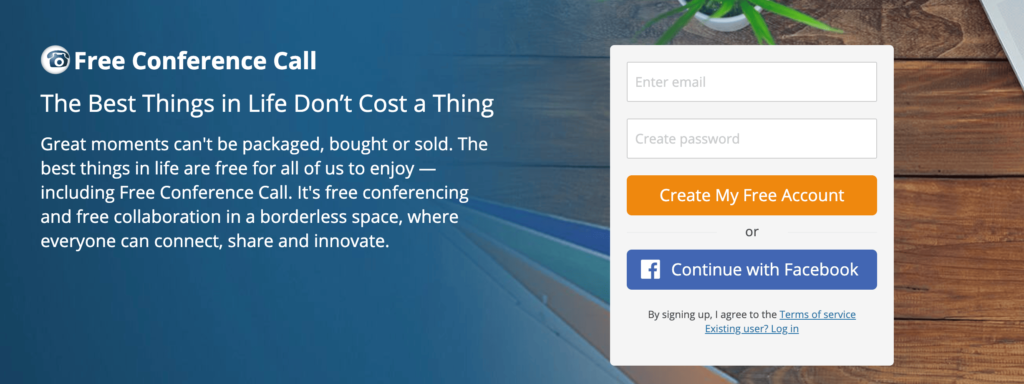
As the name implies, FreeConferenceCall.com is, you guessed it—free. With more than 2 billion calls made across the globe, this is arguably the most popular free conference call service on the market today.

To get started, all you need to do is create an account. You can do this in a matter of seconds.

FreeConferenceCall.com has some of the highest limitations in the industry for free plans. You can use this tool to host conference calls with up to 1,000 participants, which is probably more than enough than you would ever need.

In addition to audio conferences, FreeConferenceCall.com has free video meetings as well. The service comes with plenty of great other features and benefits.

  • Ability to change presenters
  • Remote drawing tools
  • Recording capabilities
  • Presentations
  • Private chat
  • Screen sharing
  • International conference calling

Other conference call services out there charge extra or make you sign up for a monthly plan to access these features.

From your account, you’ll also be able to access your call history and recordings. The archives will include details and reports of these calls as well.

While the majority of people take advantage of this service for the free features, there are some paid features that you might want to consider using to enhance your experience.

  • One number (no access codes) — $3.95 per month
  • Toll-free number — $0.039 per minute, per person
  • Custom greeting — $2 per month
  • Custom hold music — $2 per month
  • Extra storage — Starting at $3 per month (up to 40 GB)

I’d skip the custom greeting and custom hold music. Although some of you might want to add those to appear more professional for client calls. The extra storage is definitely something that I would consider getting if I was running low. You always want the ability to go back and access old recordings.

Another top benefit of FreeConferenceCall.com is the mobile app access. Host, manage, and join calls from your phone the same way you would from a desktop browser.

The only real drawback of FreeConferenceCall.com is that the storage capacity is limited. But as I’ve already mentioned, you can upgrade your storage at an affordable rate.

Google Hangouts

Google Hangouts

As a Google product, you know right away that Google Hangouts is a reliable service. It’s free to use, and a great option for anyone with a Gmail account (which is basically everyone).

When you navigate to Google Hangouts, it automatically connects with your Gmail account and contacts. It has Google Calendar integration as well, which makes it easy to schedule meetings with other users.

To set up a conference call, just use your browser, chrome extension, or mobile app.

This service is usually used for one-on-one meetings, but can be a viable option for smaller conference calls of up to 25 people. Google Hangouts makes it easy for you to share your screen and facilitate video conference calls as well.

To get the most out of Google Hangouts, you need to have a G Suite account, which starts at $6 per month. You might already be using G Suite, and if you’re not, you should start.

While Google Hangouts is simple, straightforward, and easy to use, it definitely has a few drawbacks that you should keep in mind.

For starters, there is no customer support if you’re using it for free. So if you have a problem or question, you’ll need to browse through user forums instead. There is no recording feature either, which seems to be standard with most of the other conference call services out there.

Personally, I use Google Hangouts at least once or twice per month. Although most of those meetings are just with a handful of people. Audio quality issues are common as well. But overall, it’s quick, easy, and free to make conference calls with this service.

GoToMeeting

GoToMeeting

GoToMeeting is one of the best paid conference call services that I’ve seen. It’s a high-quality solution for small business conference calls without too many extras or distracting features.

Unlike some of the other paid conference call solutions on the market, GoToMeeting does not have a basic free plan. However, you can try still try it out at no cost with a 14-day trial. So at the very least, it can’t hurt to take advantage of this.

GoToMeeting has three plans:

  • Professional — Starting at $12 per month
  • Business — Starting at $16 per month
  • Enterprise — Custom pricing

The Professional and Business plans can host conference calls with up to 150 and 250 participants, respectively. The Enterprise plan is for up to 3,000 participants.

All plans come with these basic features:

  • HD video conferencing
  • Screen sharing
  • Dial in conference lines
  • No limits on meetings
  • No time limits for meetings
  • Personal meeting rooms
  • Business messaging
  • Mobile app
  • Slack integration
  • Salesforce integration
  • 24/7 customer support

GoToMeeting also has unlimited recording capabilities as well as automatic transcriptions of your conference calls.

Overall, it’s a great choice for those of you who manage large remote teams.

Performance is where GoToMeeting stands out over the competition. Lots of free and paid conference call services out there fall short with audio quality. But GoToMeeting customers rave about the crystal clear sound and connection of their conference calls.

GoToMeeting does not have some of the more advanced features that we’ve seen from other providers. But personally, I like the simplicity. You don’t necessarily need too many bells and whistles to make effective conference calls. Plus, I think the price points for these plans provide a great value for the benefits.

Vast Conference

Vast Conference

Vast Conference is another paid conference call service that offers a 14-day free trial. With Vast Conference, you’ll have the ability to host instant conference calls without scheduling meetings in advance. But they also offer operator-assisted conferences as well.

There are four different plan options to choose from with Vast Conference:

  • Essentials — Starting at $11.99 per month
  • Standard — Starting at $15.99 per month
  • Professional — Starting at $31.99 per month
  • Enterprise — Custom pricing

The biggest difference between the plans is the number of participants allowed in a meeting. These limits are at 10, 100, 250, and 500, respectively.

All plans have unlimited cloud recording, except for the Essentials plan, which is limited to 1 GB of storage per user.

The Vast Conference interface is very easy to use. Setting up, managing, and reviewing your conference calls will be simple for anyone, regardless of your technical skill level.

Overall, I’d recommend Vast Conference to business users that want to take advantage of operator-assisted conference calls. This really adds a level of professionalism to your meetings. The audio and video quality of calls made with this service is exceptional as well.

Like most options, Vast Conference isn’t perfect. I’m not really impressed with the mobile app calling. So you can look elsewhere if that feature is important to you.

With that said, the customer support offered by Vast Conference is second to none. Even the entry-level plan comes with world class support.

Webex
Webex

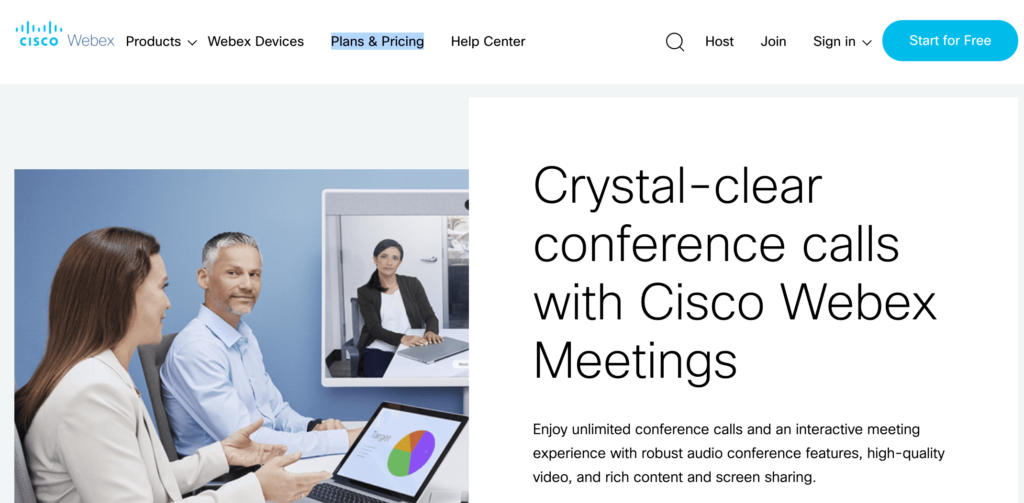
Webex is a Cisco product, so you know that the technology used to power this solution is reputable and high-quality. This is one of the best business conference call services to consider for both audio and video calling.

Here’s an overview of the four different plans offered by Webex:

Webex Free

  • Free
  • Up to 50 participants
  • 40 minute limit on conference calls
  • 1 GB of cloud storage

Webex Starter

  • Starting at $13.50 per month
  • Up to 50 participants
  • No meeting limits
  • 5 GB of cloud storage

Webex Plus

  • Starting at $17.95 per month
  • Up to 100 participants
  • No meeting limits
  • 5 GB of cloud storage
  • Assign alternate hosts
  • 24/7 customer support

Webex Business

  • Starting at $26.95 per month
  • Up to 200 participants
  • 10 GB of cloud storage
  • Custom branding features

The free plan is fine, but it’s pretty limited. All of the paid plans come with more advanced features like transcription recording, call-in audio, file sharing, and administrative features.

To get the best customer support, you’ll need to upgrade to the Webex Plus plan.

Overall, Webex is a great choice for small, medium, and large businesses with remote employees. I really like the way that the video conferencing is displayed in a grid view as well.

With the top-tier plan maxing out at 200 participants, Webex doesn’t really have an enterprise-level option. Although that shouldn’t be a major concern for most of you. Plans with up to 50 or 100 participants should be more than enough to meet your needs.

BlueJeans

BlueJeans

BlueJeans specializes in video conference calls. It’s well-known for exceptional audio quality as well. This solution makes it easy for team communication from any device.

For small businesses and individuals, BlueJeans has a plan starting at $12.49 per month, which can host meetings with up to 50 participants.

They also offer an upgraded plan for $16.65 per month with conferencing capabilities for up to 75 participants. This option comes with recording features and cloud storage, which is what I would recommend.

If you need more, you can contact BlueJeans for a custom solution and plan. Although the participant limit is 150 people. This is definitely less than some of the other enterprise-level solutions we’ve seen. Although the pricing will be a bit more appealing.

Companies like Linkedin, Facebook, and Zillow rely on BlueJeans for conference calls. So it’s definitely a service that you can trust.

One of the reasons why BlueJeans has such exceptional audio quality is because it’s powered by Dolby Voice. The solution is designed to suppress background noises while giving each participant’s voice a distinct location, which makes it sound as though everyone is in the same room.

Loud talkers, soft-spoken participants, and simultaneous talking can still be heard, unmuffled. This definitely gives BlueJeans an edge over its competitors.

How to Find the Best Conference Call Services For You

There are an overwhelming amount of conference call services on the market today. Finding the best choice can be difficult.

In order to pick the top option, you need to know what to look for when you’re evaluating a potential service. This is the methodology that I used when I was researching the solutions in this guide. You can use it as well to narrow your choices.

Call Limits

The first thing you need to look at is the calling restrictions for a plan that you’re considering. These limits will be related to the number of participants allowed in a call as well as the duration of a call.

Some free plans will limit you to just 10 participants and 40 minutes per conference call. While other paid options give you up to 1,000 participants with no limits on call duration.

Pick a service based on what you need. If you have a small business with just a handful of remote employees, you probably don’t need to pay for a conference call service with a limit of 250 participants.

I’d definitely recommend finding an option with unlimited call durations. It won’t be effective or productive if you’re forced to cut meetings short based on these limitations.

Call Recording

The ability to record your conference calls is another big advantage. Not every free service comes with this option.

There are different levels of call recording capability. Some services will record the call and then force you to store it locally on whatever device you’re using. Others have cloud storage options based on your plan.

Make sure you understand any storage limits before you sign up for a plan. Otherwise, you might be forced to upgrade when you run out of space.

It’s also worth noting that some call recording plans also come with transcription services. This will make it easier for you to go back and find certain points within a call without having to search through the audio.

If you’re going to take advantage of video calling features, see if the service records the videos or if the recording is just limited to audio calls only.

Account and Call Setup

A conference call service is useless if it’s difficult to use. I rank ease of use based on two factors.

  1. Setting up an account.
  2. Starting a new conference call.

Signing up for some conference calling services can be completed in a matter of seconds. For example, if you’re a G Suite user, all you need to do is navigate to Google Hangouts to use it.

If you need a custom solution or enterprise-level plan, setup will be a bit more complex. In most cases, you’ll have to reach out to a sales agent, which can be a pain and kind of time-consuming.

Once you’re all signed up, regardless of the service, starting a new conference call needs to be extremely easy. How do you add users to the call? Is there a call-in service? Do you need to schedule the meeting in advance? Is operator-assistance available? These are all factors that need to be taken into consideration.

Video Conferencing

You may not always need it, but I definitely recommend getting a conference call service that includes high-quality video.

This feature can take your meetings to the next level. In addition to video, some services have features to optimize things like screen sharing and presentations. These are crucial for business collaborations with remote workers. Features like this will also make it easier for you to effectively pitch and communicate with any current or prospective clients that you’re working with.

Certain conference call services specialize in video calls. So if you’re planning to use video for the majority of your calls, look for an option that specializes in this area.

Call Quality

Your conference calls will be useless if the quality and connection is poor. There is nothing worse than being on a call when you spend the whole time saying “can you hear me?” or “please repeat that.” 

If calls are dropping, lagging, or sound scratchy, you just can’t have a productive meeting. The importance of call quality increases with larger groups.

When people start talking at the same time or some people talk louder than others, it can be difficult to keep up with the conversation.

The only way to really know how good the call quality will be is to test it out. So definitely take advantage of any free trials offered by a provider. Use it as much as possible to see if you’re happy with the results.

Customer Support

Like any product or service in any market, I always put big emphasis on customer support before I buy something. If I have an important call and something goes wrong, I need to be able to contact someone to fix the issue immediately.

Some services offer 24/7 support over the phone, while others only offer it during business hours. There are free plans that force you to start a support ticket online, which won’t solve your problem right away.

If you can’t contact a customer service representative, your conference call service should at least offer an extensive knowledge base for troubleshooting.

Price

What’s your budget for conference calls? There are free plans out there, as well as enterprise-level solutions starting at $1,000 per month.

With that said, most of you should be able to find a viable solution for less than $20 per month.

You can usually get a better deal if you opt-in to an annual contract as opposed to paying month-to-month. Just make sure you’re comfortable with your decision before you commit to a long-term contract. Always take advantage of a free trial.

Free and Paid Features

Every conference call service has additional features to make its solution seem more appealing. Some common ones include:

  • International calling
  • Live chat
  • Call reporting
  • Software integration (Slack, Salesforce, calendars, G Suite, etc.)
  • Toll-free number
  • Hold music
  • Custom greeting
  • Presentation tools
  • Team management tools
  • Mobile app

The list goes on and on. Some of these features will come free with plans, while others you’ll need to upgrade or add-on to get.

Basically, you need to just figure out which ones you’re actually going to use. Then evaluate the plans to see which ones give you the best value for those features.

Conclusion

At some point or another, every business will need to make a conference call. So finding the best conference call service needs to be a priority for everyone.

Here’s a recap of the best conference call services that I reviewed in this guide:

  • UberConference — Best conference calling service for beginners.
  • Zoom — Plans for startups, small businesses, and enterprise-level conference calls.
  • FreeConferenceCall.com — Best free conference calling service.
  • Google Hangouts — Simple conference calling for G Suite users.
  • GoToMeeting — Best value conference calls for businesses.
  • Vast Conference — Best for operator-assisted conference calls.
  • Webex — Free and paid calling plans for small and medium-sized businesses.
  • BlueJeans — High-quality audio and video conference calling.

There’s a mix of free and paid options on this list.

Overall, there’s something for everyone. Whether you’re an individual, startup business, large company, or enterprise, you’ll be able to find a high-quality conference calling solution using this guide.


Source Quick Sprout https://ift.tt/2PYBG31